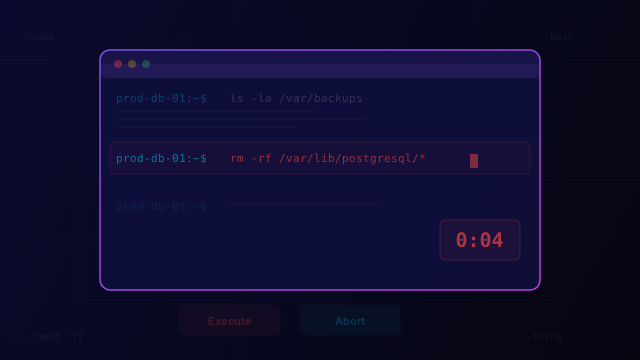
Terminal Roulette
An operations security simulation. A command is staged in a live terminal with a countdown — read the context (hostname, directory, command history) and decide: execute, abort, or flag for review. Not every command is dangerous, but the ones that are can take down production in seconds.
Ready to play?
Put your awareness to the test. See if you can spot the threats before it's too late.
Launch GameWhy This Matters
Operational risks result from mistakes, process failures, poor change management, or unintended actions by privileged users. Even highly competent administrators can introduce significant risk through human error.
In many organizations, operational mistakes occur far more frequently than malicious activity. A misconfigured firewall rule, an automation script with the wrong scope, or a database drop command in the wrong terminal — these aren't attacks, they're accidents. But the impact is often indistinguishable from a deliberate breach.
The most dangerous moment in operations is the gap between typing a command and pressing Enter. That's where change control, peer review, and environmental awareness are supposed to intervene. When they don't, the blast radius can be catastrophic: production databases deleted, thousands of users locked out, or customer data exposed to the entire internet.
What You'll Learn
Recognize dangerous commands by reading terminal context: hostname, working directory, and command history
Assess blast radius before executing — understand what a command will affect at production scale
Practice the instinct to flag uncertain operations for peer review instead of executing under pressure
Distinguish between safe read-only operations and destructive commands to avoid overcaution